**Rendering Basics with Pytorch3D**
Student name: Abhishek Pavani
(##) LATE DAYS : 0
(#) Practising with cameras
(##) 1.1 360-degree Renders
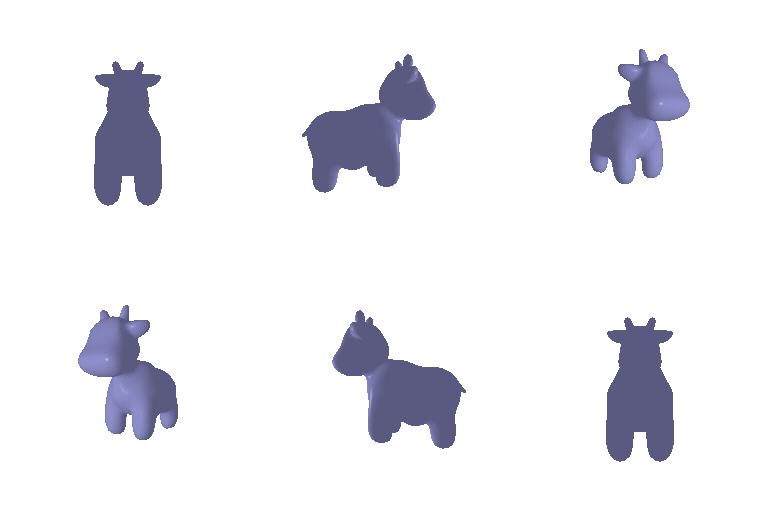
To render a cow from 360-degree, we can either move the camera around the cow, keeping the cow static or move the cow and keep the camera static.
Here I have moved the camera around while keeping the cow stationary.
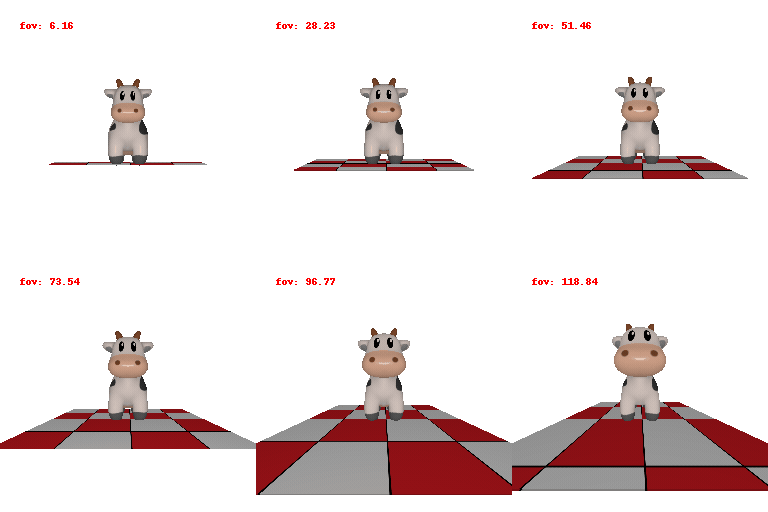
(##) 1.2 Dolly zoom
Dolly zoom effect is created by moving away from the object while constantly zooming in.
(#) Practising with Meshes
(##) 2.1 Constructing a Tetrahedron
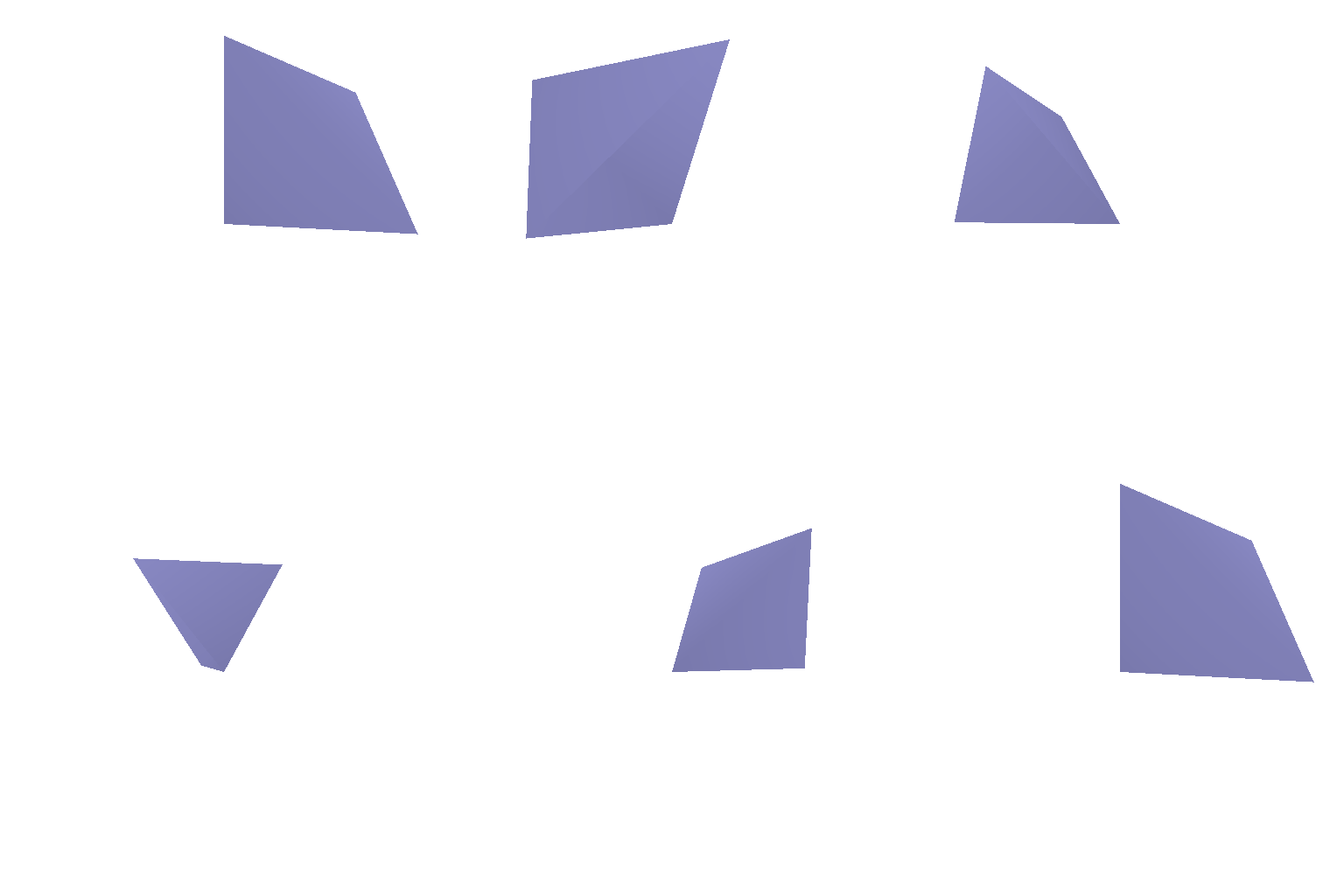
A tetrahedron has 4 vertices and 4 faces. The 360 degree render of the same has been shown below
Here is a list of the vertices and faces used for this assignment
`Vertices = [[0,0,0],[1,0,1],[0,1,1],[1,1,0]]`
`Faces = [[0,2,1],[0,3,2],[0,1,2],[2,3,1]]`
(##) 2.1 Constructing a Cube
A cube has 8 vertices and 12 triangular faces. The 360 degree render of the same has been shown below
Here is a list of the vertices and faces used for this assignment
`Vertices = [[0,0,1],[1,0,1],[0,1,1],[1,1,1],[0,0,0],[1,0,0],[0,1,0],[1,1,0]]`
`Faces = [[0,1,2],[1,3,2],[2,3,7],[2,7,6],[1,7,3],[1,5,7],[6,7,4],[7,5,4],[0,4,1],[1,4,5],[2,6,4],[0,2,4]]`
(#) Re-texturing a Mesh
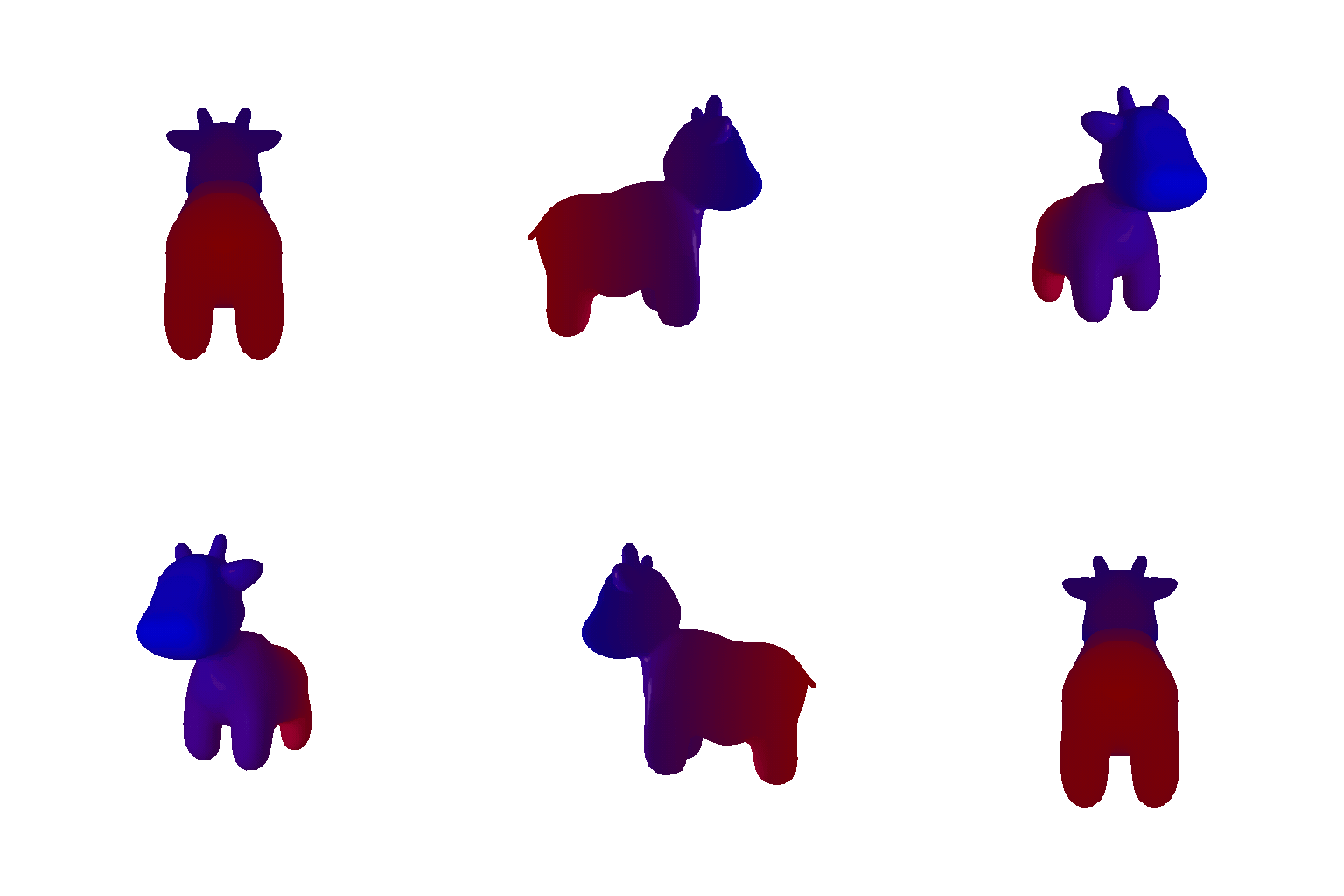
Colors chosen here are **color1 = [0,0,1] and color2 = [1,0,0]**
The gif below shows a textured cow with 2 co
lors that linearly blend using the following formula
alpha = (z - z_min) / (z_max - z_min)
color = alpha * color2 + (1 - alpha) * color1
(#) Camera Transformations
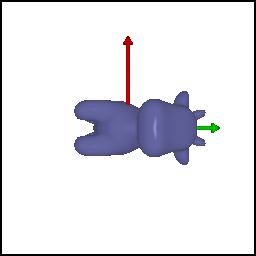
1. ` R_relative: Here we want the image to be rotated clockwise. So we rotate the camera counter-clockwise. `
` T_relative: We see that the camera is at the same distance from the camera and has not moved. So there is no relative camera motion.`
The relative rotation and translation used to acheive the affect shown in the image below is as follows
`R_relative=[[0, 1, 0], [-1, 0, 0], [0, 0, 1]]`
`T_relative=[0, 0, 0]`
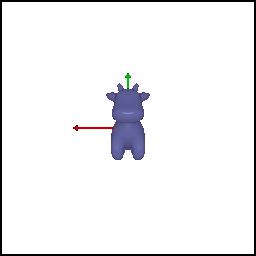
2. ` R_relative: Here we want no rotation. So there is no relative rotation. `
` T_relative: We see that the camera is moving away from the object. So the camera is shifted 2 units away from the object`
The relative rotation and translation used to acheive the affect shown in the image below is as follows
`R_relative=[[1, 0, 0], [0, 1, 0], [0, 0, 1]]`
`T_relative=[0, 0, 2]`
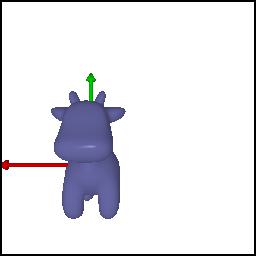
3. ` R_relative: Here we want no rotation. So there is no relative rotation.`
` T_relative: We see that the camera is moving slightly on the right and up. This would give us a cow which is shifted to the left of the image and a bit down from the center of the image`
The relative rotation and translation used to acheive the affect shown in the image below is as follows
`R_relative=[[1, 0, 0], [0, 1, 0], [0, 0, 1]]`
`T_relative=[0.5,-0.5, 0]`
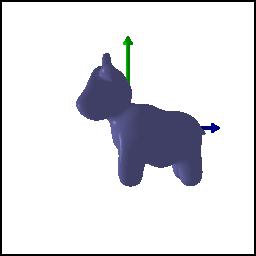
4. ` R_relative: In the image we see the side view of a cow. This could be achieved by rotating the camera by 90 degrees along y-axis. `
` T_relative: We need to first translate along negative x direction to reach the object center and then move 3 units away along z-axis to see the cow from the side`
The relative rotation and translation used to acheive the affect shown in the image below is as follows
`R_relative=[[0, 0, 1], [0, 1, 0], [-1, 0, 0]]`
`T_relative=[-3., 0, 3],`
(#) Rendering Generic 3D Representations
(##) 5.1 Rendering Point Clouds from RGB-D images
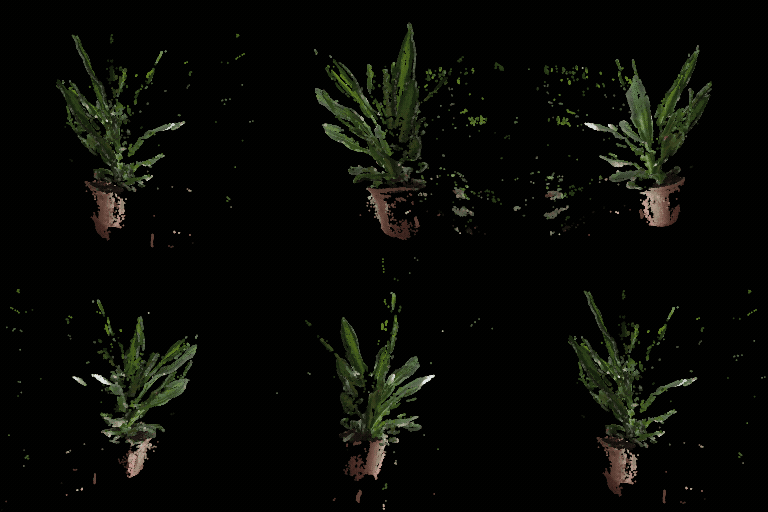
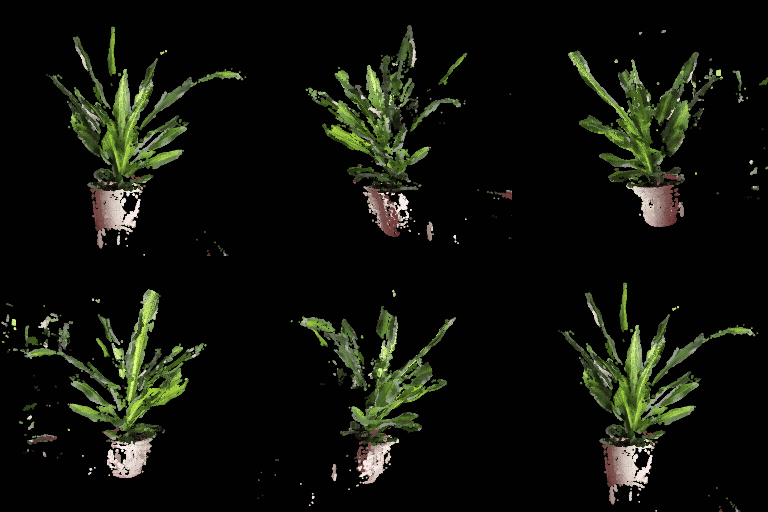
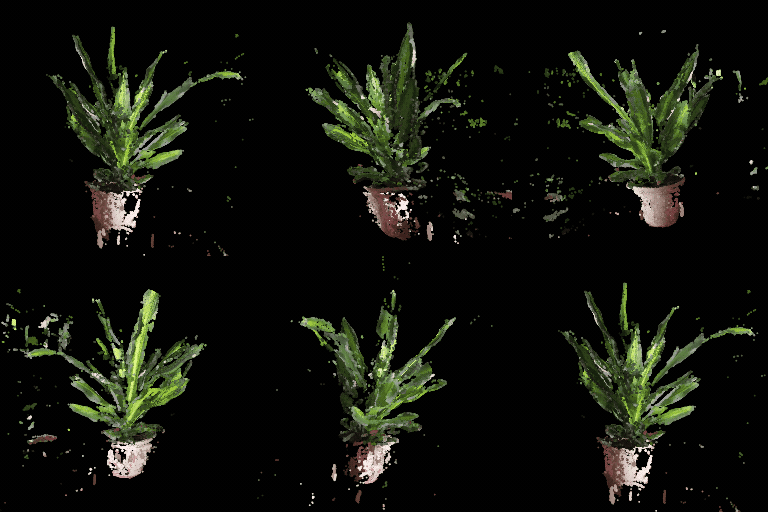
Point cloud corresponding ot the first image(left), Point cloud corresponding ot the second image(middle), The point cloud formed by the union of the first 2 point clouds(right)
| SOURCE 1 | SOURCE 2 | UNION |
|-----------------------|------------------------|----|
| | ||
(##) 5.2 Rendering Parametric Functions
(##) 5.2 Implicit Surfaces
Tradeoffs of rendering a mesh vs a point cloud:
Rendering Speed: Point Clouds render much quickly compared to a mesh given the fact that only points need to be rendered vs faces. However if we want the same quality of render, then we need to sample more points compared to the number of faces in a mesh and hence the processing time for point clouds would be higher
Render Quality: Meshes look much better because they represent continuous surfaces whereas point clouds have holes.
Ease of use: Point clouds need to store only 3D coordinates of individual vertices making them easy to use. Meshes need informatio about vertices and the faces to represent a surface making them harder to use.
Memory usage: Point Clouds render quicker compared to meshes as we need to render only 3D coordinates. Whereas in a mesh we need to render faces, which is formed by a combination of vertices and edges.
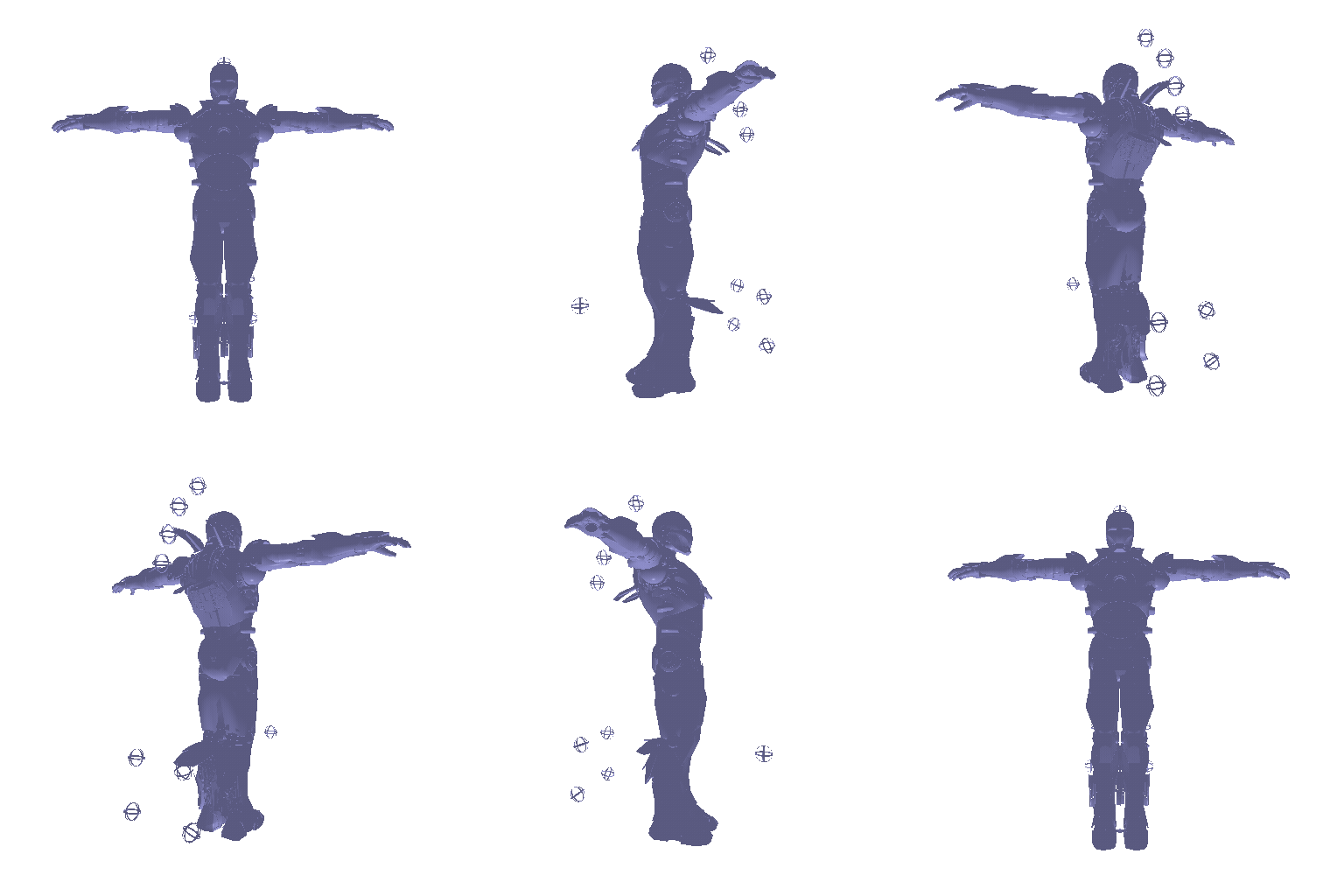
(#) 6 Do Something Fun
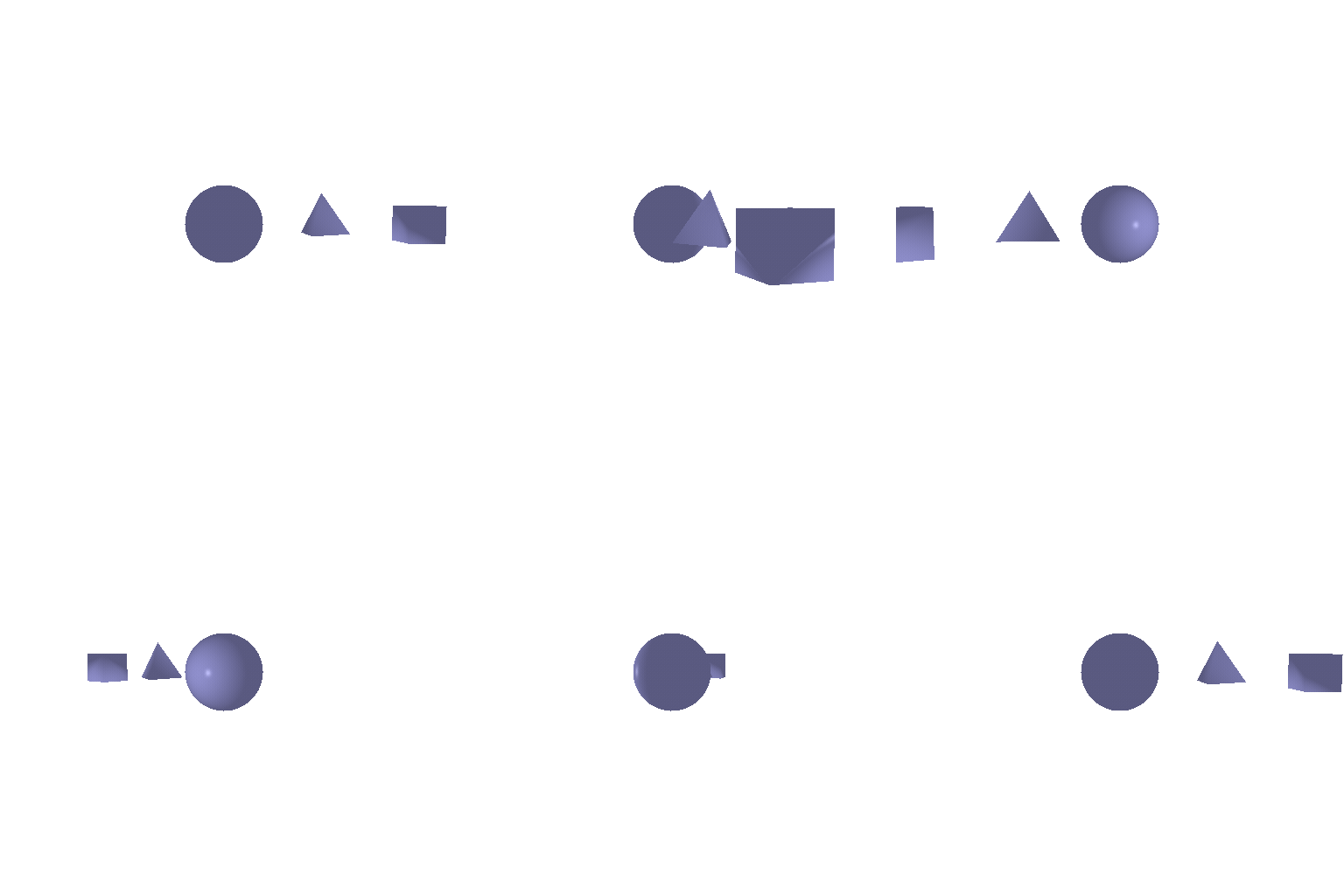
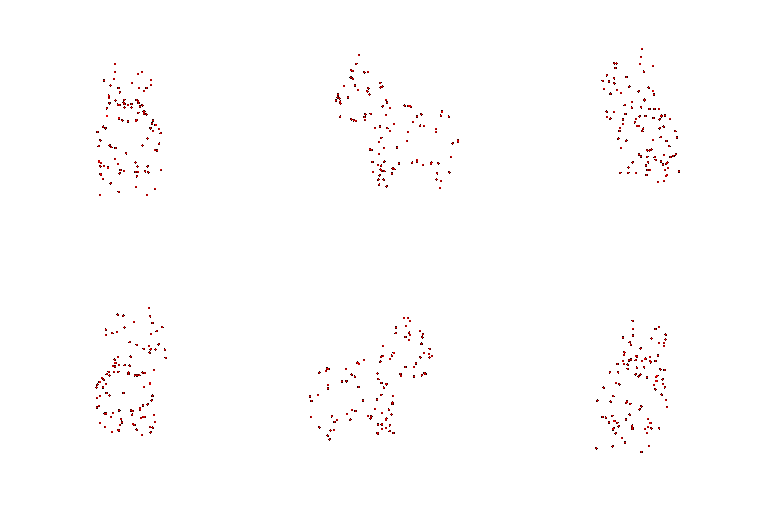
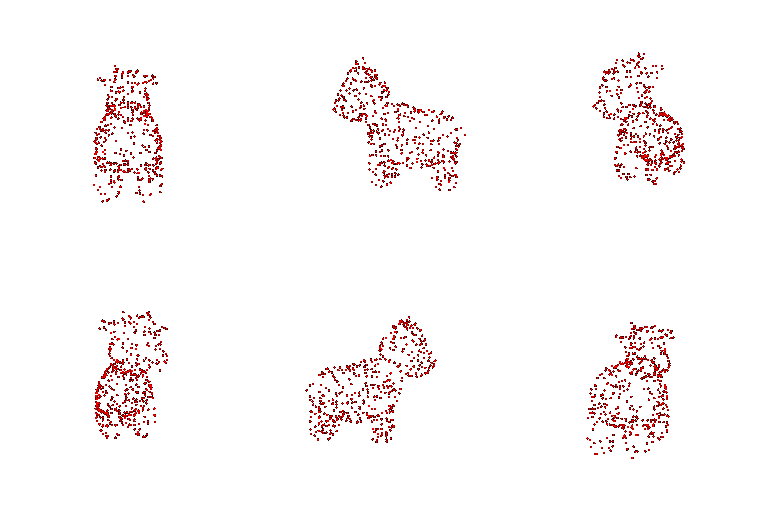
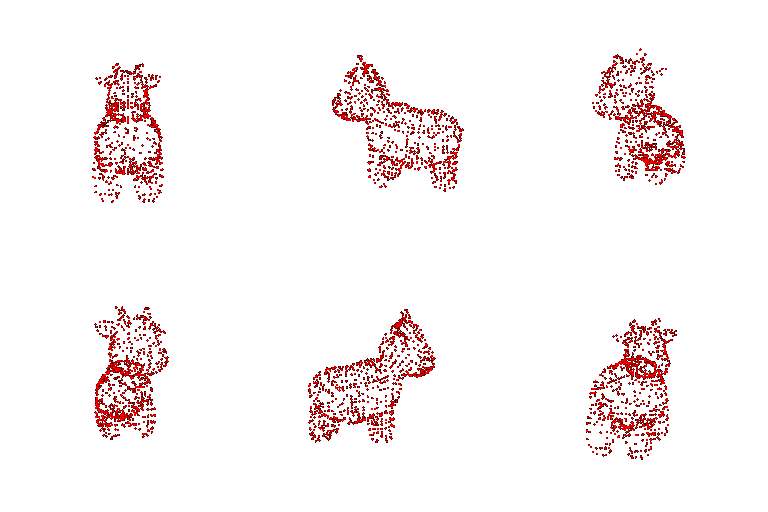
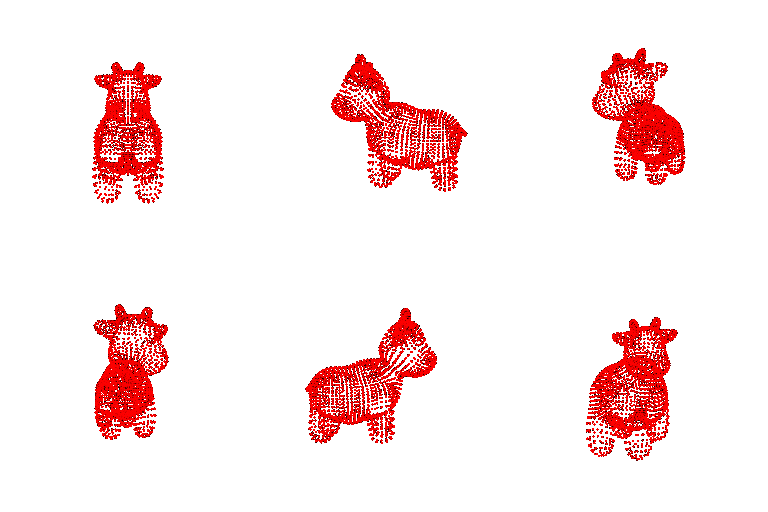
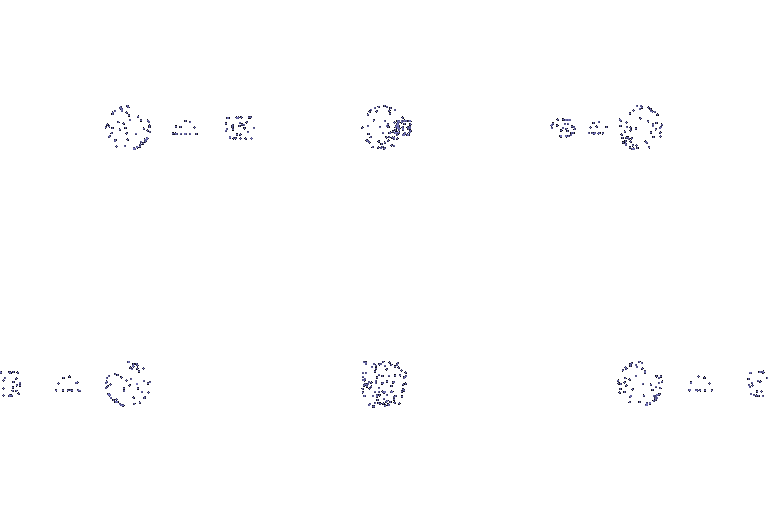
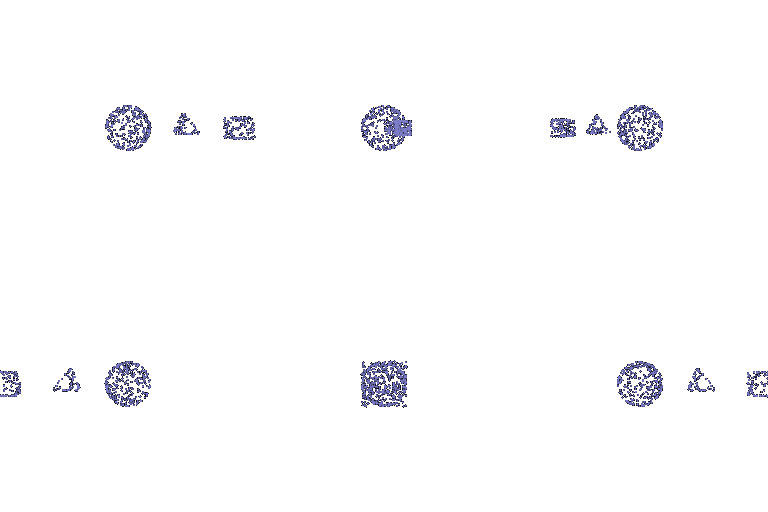
(#) 7 Sampling points on Meshes
| COW MESH GIF | JOINT MESHMESH GIF |
|-----------------------|------------------------|
| | |
| 100 | 500 | 1000 | 10000|
|-----------------------|------------------------|----|---|
|||||
|||||
 (##) 1.2 Dolly zoom
Dolly zoom effect is created by moving away from the object while constantly zooming in.
(##) 1.2 Dolly zoom
Dolly zoom effect is created by moving away from the object while constantly zooming in.
 (#) Practising with Meshes
(##) 2.1 Constructing a Tetrahedron
A tetrahedron has 4 vertices and 4 faces. The 360 degree render of the same has been shown below
Here is a list of the vertices and faces used for this assignment
`Vertices = [[0,0,0],[1,0,1],[0,1,1],[1,1,0]]`
`Faces = [[0,2,1],[0,3,2],[0,1,2],[2,3,1]]`
(#) Practising with Meshes
(##) 2.1 Constructing a Tetrahedron
A tetrahedron has 4 vertices and 4 faces. The 360 degree render of the same has been shown below
Here is a list of the vertices and faces used for this assignment
`Vertices = [[0,0,0],[1,0,1],[0,1,1],[1,1,0]]`
`Faces = [[0,2,1],[0,3,2],[0,1,2],[2,3,1]]`
 (##) 2.1 Constructing a Cube
A cube has 8 vertices and 12 triangular faces. The 360 degree render of the same has been shown below
Here is a list of the vertices and faces used for this assignment
`Vertices = [[0,0,1],[1,0,1],[0,1,1],[1,1,1],[0,0,0],[1,0,0],[0,1,0],[1,1,0]]`
`Faces = [[0,1,2],[1,3,2],[2,3,7],[2,7,6],[1,7,3],[1,5,7],[6,7,4],[7,5,4],[0,4,1],[1,4,5],[2,6,4],[0,2,4]]`
(##) 2.1 Constructing a Cube
A cube has 8 vertices and 12 triangular faces. The 360 degree render of the same has been shown below
Here is a list of the vertices and faces used for this assignment
`Vertices = [[0,0,1],[1,0,1],[0,1,1],[1,1,1],[0,0,0],[1,0,0],[0,1,0],[1,1,0]]`
`Faces = [[0,1,2],[1,3,2],[2,3,7],[2,7,6],[1,7,3],[1,5,7],[6,7,4],[7,5,4],[0,4,1],[1,4,5],[2,6,4],[0,2,4]]`
 (#) Re-texturing a Mesh
Colors chosen here are **color1 = [0,0,1] and color2 = [1,0,0]**
The gif below shows a textured cow with 2 co
lors that linearly blend using the following formula
alpha = (z - z_min) / (z_max - z_min)
color = alpha * color2 + (1 - alpha) * color1
(#) Re-texturing a Mesh
Colors chosen here are **color1 = [0,0,1] and color2 = [1,0,0]**
The gif below shows a textured cow with 2 co
lors that linearly blend using the following formula
alpha = (z - z_min) / (z_max - z_min)
color = alpha * color2 + (1 - alpha) * color1
 (#) Camera Transformations
1. ` R_relative: Here we want the image to be rotated clockwise. So we rotate the camera counter-clockwise. `
` T_relative: We see that the camera is at the same distance from the camera and has not moved. So there is no relative camera motion.`
The relative rotation and translation used to acheive the affect shown in the image below is as follows
`R_relative=[[0, 1, 0], [-1, 0, 0], [0, 0, 1]]`
`T_relative=[0, 0, 0]`
(#) Camera Transformations
1. ` R_relative: Here we want the image to be rotated clockwise. So we rotate the camera counter-clockwise. `
` T_relative: We see that the camera is at the same distance from the camera and has not moved. So there is no relative camera motion.`
The relative rotation and translation used to acheive the affect shown in the image below is as follows
`R_relative=[[0, 1, 0], [-1, 0, 0], [0, 0, 1]]`
`T_relative=[0, 0, 0]`
 2. ` R_relative: Here we want no rotation. So there is no relative rotation. `
` T_relative: We see that the camera is moving away from the object. So the camera is shifted 2 units away from the object`
The relative rotation and translation used to acheive the affect shown in the image below is as follows
`R_relative=[[1, 0, 0], [0, 1, 0], [0, 0, 1]]`
`T_relative=[0, 0, 2]`
2. ` R_relative: Here we want no rotation. So there is no relative rotation. `
` T_relative: We see that the camera is moving away from the object. So the camera is shifted 2 units away from the object`
The relative rotation and translation used to acheive the affect shown in the image below is as follows
`R_relative=[[1, 0, 0], [0, 1, 0], [0, 0, 1]]`
`T_relative=[0, 0, 2]`
 3. ` R_relative: Here we want no rotation. So there is no relative rotation.`
` T_relative: We see that the camera is moving slightly on the right and up. This would give us a cow which is shifted to the left of the image and a bit down from the center of the image`
The relative rotation and translation used to acheive the affect shown in the image below is as follows
`R_relative=[[1, 0, 0], [0, 1, 0], [0, 0, 1]]`
`T_relative=[0.5,-0.5, 0]`
3. ` R_relative: Here we want no rotation. So there is no relative rotation.`
` T_relative: We see that the camera is moving slightly on the right and up. This would give us a cow which is shifted to the left of the image and a bit down from the center of the image`
The relative rotation and translation used to acheive the affect shown in the image below is as follows
`R_relative=[[1, 0, 0], [0, 1, 0], [0, 0, 1]]`
`T_relative=[0.5,-0.5, 0]`
 4. ` R_relative: In the image we see the side view of a cow. This could be achieved by rotating the camera by 90 degrees along y-axis. `
` T_relative: We need to first translate along negative x direction to reach the object center and then move 3 units away along z-axis to see the cow from the side`
The relative rotation and translation used to acheive the affect shown in the image below is as follows
`R_relative=[[0, 0, 1], [0, 1, 0], [-1, 0, 0]]`
`T_relative=[-3., 0, 3],`
4. ` R_relative: In the image we see the side view of a cow. This could be achieved by rotating the camera by 90 degrees along y-axis. `
` T_relative: We need to first translate along negative x direction to reach the object center and then move 3 units away along z-axis to see the cow from the side`
The relative rotation and translation used to acheive the affect shown in the image below is as follows
`R_relative=[[0, 0, 1], [0, 1, 0], [-1, 0, 0]]`
`T_relative=[-3., 0, 3],`
 (#) Rendering Generic 3D Representations
(##) 5.1 Rendering Point Clouds from RGB-D images
Point cloud corresponding ot the first image(left), Point cloud corresponding ot the second image(middle), The point cloud formed by the union of the first 2 point clouds(right)
| SOURCE 1 | SOURCE 2 | UNION |
|-----------------------|------------------------|----|
|
(#) Rendering Generic 3D Representations
(##) 5.1 Rendering Point Clouds from RGB-D images
Point cloud corresponding ot the first image(left), Point cloud corresponding ot the second image(middle), The point cloud formed by the union of the first 2 point clouds(right)
| SOURCE 1 | SOURCE 2 | UNION |
|-----------------------|------------------------|----|
| |
| |
| |
(##) 5.2 Rendering Parametric Functions
|
(##) 5.2 Rendering Parametric Functions
 (##) 5.2 Implicit Surfaces
 Tradeoffs of rendering a mesh vs a point cloud:
Rendering Speed: Point Clouds render much quickly compared to a mesh given the fact that only points need to be rendered vs faces. However if we want the same quality of render, then we need to sample more points compared to the number of faces in a mesh and hence the processing time for point clouds would be higher
Render Quality: Meshes look much better because they represent continuous surfaces whereas point clouds have holes.
Ease of use: Point clouds need to store only 3D coordinates of individual vertices making them easy to use. Meshes need informatio about vertices and the faces to represent a surface making them harder to use.
Memory usage: Point Clouds render quicker compared to meshes as we need to render only 3D coordinates. Whereas in a mesh we need to render faces, which is formed by a combination of vertices and edges.
(#) 6 Do Something Fun
Tradeoffs of rendering a mesh vs a point cloud:
Rendering Speed: Point Clouds render much quickly compared to a mesh given the fact that only points need to be rendered vs faces. However if we want the same quality of render, then we need to sample more points compared to the number of faces in a mesh and hence the processing time for point clouds would be higher
Render Quality: Meshes look much better because they represent continuous surfaces whereas point clouds have holes.
Ease of use: Point clouds need to store only 3D coordinates of individual vertices making them easy to use. Meshes need informatio about vertices and the faces to represent a surface making them harder to use.
Memory usage: Point Clouds render quicker compared to meshes as we need to render only 3D coordinates. Whereas in a mesh we need to render faces, which is formed by a combination of vertices and edges.
(#) 6 Do Something Fun
 (#) 7 Sampling points on Meshes
| COW MESH GIF | JOINT MESHMESH GIF |
|-----------------------|------------------------|
|
(#) 7 Sampling points on Meshes
| COW MESH GIF | JOINT MESHMESH GIF |
|-----------------------|------------------------|
| |
| 100 | 500 | 1000 | 10000|
|-----------------------|------------------------|----|---|
|
|
| 100 | 500 | 1000 | 10000|
|-----------------------|------------------------|----|---|
| |
| |
| |
| |
|
|
| |
| |
| |
| |
|